Showing posts with label Corner Beam. Show all posts

Tuesday, January 17, 2023

Day Two - Modern Opulance Blog Hop


I’m so excited that you have stopped by my blog today during the Deb Tucker Studio 180 Design Modern Opulence Blog Hop. My name is Tina Dillard, and I'm a Studio 180 Design Certified Instructor, author, instructor, designer, and owner of Quilting Affection Designs. Throughout the week, a few of my fellow Certified Instructors are bringing you projects that are either table toppers or table runners.


These projects are using Deb’s newest fabric line with Island Batik, Modern Opulence. It's full of oranges, blues, and golds that are rich and bold. For those fall-themed projects, they're perfect. As soon as I saw this collection, I fell in love. The possibilities are endless with this line. The schedule for this week is below, so make sure to follow each of these as the week progresses.

Monday, January 16th: Studio 180 Design kickoff

Monday, January 16th: Diana Mann of Murgaboo Quilts

Tuesday, January 17th: Tina Dillard of Quilting Affection Designs (today)

Wednesday, January 18th: Phyllis Fay of Stitchin’ in the Ditch

Thursday, January 19th: Raija Salomaa of Quilter’s Treasure Chest

Friday, January 20th: Studio 180 Design wrap up

The project I designed for this Blog Hop will be this month's Block Party Block. I'll quickly explain Block Party Blocks if you're not familiar. Block Party Blocks look just like Blockbuster blocks from Studio 180 Design. They're free downloads that come out around the 15th of every month. These blocks use a variety of Studio 180 Design tools and provide practice, fun, and inspiration. 


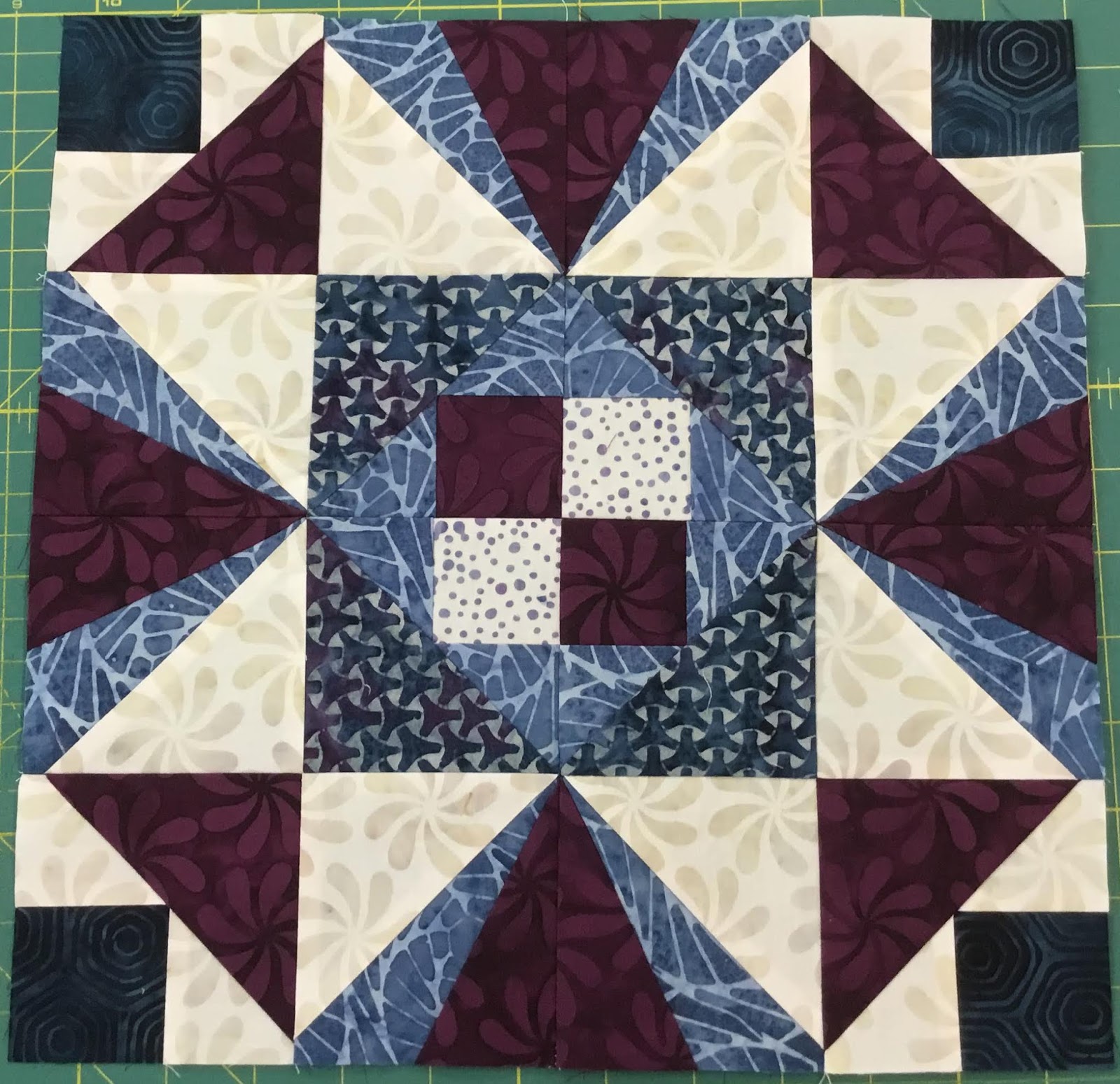
Let me introduce you to my Block Party Block #32 and Blog Hop Project "Opulence Puzzle." Deb's Modern Opulence fabric collection inspired this elegant table topper. Using Studio 180 Designs tools and techniques, I made the sample using the 36" x 36" table topper size, Wing Clipper, Large Square Squared, and Corner Beam tools. In addition, I've included Technique Sheets for Pickets and Quickets, Stacked Squares, and Birds of Paradise.

I'll show you how easy this project was by showing you the tools, the units, and the fabrics I used. Stay with me until the end of this blog, and I'll tell you how to download this free project that comes in 36" x 36" and 24" x 24".


I used seven different fabrics from the Modern Opulence collection in this table topper. Their values range from Light to Dark and include a Background and Coordinating fabric for the borders.  

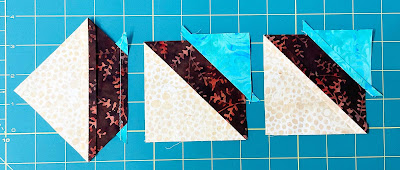
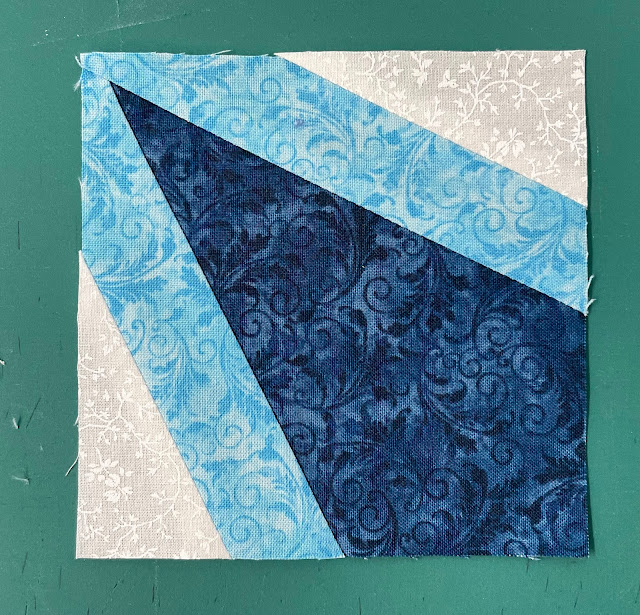
I'll start with the first unit of this table topper, the Corner Beam. With the Corner Beam, you can cut your Side Triangles and Center Beams and trim the units with one tool. No more paper piecing. I used a mix of background and medium/dark fabrics from the collection for my Corner Beam Units.

Next, I made Flying Geese and Quickets units with Light, Medium/Light, and Dark fabrics. The wing clipper tool is used for these units. I love having a Wing Clipper around for flying geese. Use this tool to trim down Quicket units from your Picket and Quickets Technique Sheet.


To finish this project, I used the Large Square Squared Tool to create Birds of Paradise and Stacked Squares (Economy Blocks). Combining Light, Medium, Medium/Light, and Dark fabrics makes this Birds of Paradise unit bright and colorful. Last but not least, the Economy Block from the Stacked Squares Technique Sheet was made for the center using a combination of Background, Light, and Medium fabrics. 

After I make all my units, I can assemble the table topper, starting with the main block. Here's how the three rows look put together. A quilt's center could be a great block by itself.


After that, make another set of flying geese units and combine them with rectangles and squares to create the pieced border. You'll then sew the pieced borders to each side of the center block. It's finished off with coordinating fabric borders.

A gorgeous table topper from Deb Tucker's Studio 180 Design Modern Opulence Fabric Line from Island Batik is easy to make and put together. This Block Party Block #32 "Opulence Puzzle" table topper pattern can be made by clicking on this link and downloading it.

Thanks for joining me on Day Two of the Modern Opulence Blog Hop. I'll see you on Phyllis Fay's Stitchin' in the Ditch blog tomorrow.  

Saturday, January 15, 2022

Block Party Block #21 - Flying Darts Tutorial

It's the first Block Party Block of 2022. Block Party Block #21 "Flying Darts" reminds me of playing lawn darts on camping trips or in the backyard. The Studio 180 Design Corner Beam®, Tucker Trimmer®, and Corner Pop® tools are used for this block. You can download your block, Here!

This tutorial is about making Popped Half Square Triangles for the Flying Darts Block Party Block.


Start by choosing your fabrics and deciding the size of your block. Then cut your squares out according to your size. See the Tucker Trimmer® tool instructions for how to make half-square triangles. Once you've made your Half Square Triangles, I recommend pressing the seams to open so the unit lays flat and won't bulk up when you put the block together. 

Right Handed Trim

Left Handed Trim

After that, you'll trim your units to size. Trimming must be done before popping the corner so that the unit is as straight as it can be. Place your unit on a cutting mat. Position the Tucker Trimmer over the unit, aligning the diagonal guidelines on the seam for the desired size. Trim the first two edges.

Right Handed Trim


Left Handed

Turn the unit 180 and position the clean-up lines on the unit edges that you trimmed and do the same with the diagonal lines on the seam. Now make the final cuts. 


Now that we've got our units trimmed and square, we want to use our Corner Pop® tool to trim off those dark corners. 

Replacement

Using the tool's cutting chart, we can figure out what the Replacement Triangle Square size needs to be based on the size of the Finished/Cut Away corners. To make your replacement triangles, cut your squares to size, then sub-cut them diagonally. 

Right Handed

Left Handed

Let's find the Cut Away lines size for the replacement triangle. Make sure the Cut Away lines are aligned in the dark corner of the Half Square Triangle. Cut across the diagonal.


Position the newly trimmed half-square triangle and the long diagonal edge of the triangle replacement with right sides together. Stitch in place with a 1/4" seam allowance, then press the seams open.

Right Handed


Left Handed

If you're right-handed, position the newly popped corner in your upper right-hand corner and if you're left-handed, place it in your upper left-hand corner. Lay the Finished Size Corner Trim Down line on the seam of the new corner. Keeping your unit straight is easy if you align it with the grid lines on the tool. Just trim the two sides. Do this for all 12 Half Square Triangles. 


It's really easy to make these units. All you have to do now is make 20 Corner Beams and assemble the block.

Block Assembly


It's best to make all four corners first and press the sections together.


Assembling the middle sections, again press your seams open.


Then stitch all the sections together into rows. Lastly, stitch all the rows together to finish the block. Make sure all seams are open. Have fun.


Friday, December 17, 2021

Block Party Block #20 - Ice Flake


It was release week for another fun and exciting Block Party Block. With this month's block, Ice Flakes, we take the Studio 180 Design V Block and Corner Beam units and combine them with the Corner Pop tools. 

This tutorial will show you how to use the Studio 180 Design Corner Pop II to pop the side triangle corner on Corner Beam units.

If you're popping any corners, you need to trim your units to size first. Be sure to read your tool's instructions before you start.

The first thing you've got to do is cut the corner off the Corner Beam unit. To begin with, you'll need to determine which size to remove. This example uses a 2" finished cutaway.  


You will need to find the Cut Away Corner section on the tool, locate the label "Cut Away Corners." Each number represents the finished height of the cutaway line, so we are planning to use the 2" cutaway lines for this tutorial.  

We will begin with a Type 1 cutaway, which is a slant to the left. In Type 1, the units are put on the cutting mat right side up and trimmed down with their wrong sides up.

Now, let's place our Corner Beam unit with the right sides up on your cutting mat. Using the bottom left corner of the Corner Beam unit, align the 2" lines along the sides. Once you have the lines aligned, make a slanted cut. The slant cut will give the seam a proper 1/4" allowance.

Using the cutting chart in the tool instructions, we can find the replacement triangle strip width for a 2" finished unit, which is a 3" strip. To get replacement triangle pairs, fold your strip in half and place it on the cutting mat. Then trim the ends.  

Locate the Replacement Triangle Cut Line. It will be a bold line next to the Cut Away Corners. You will need to place the 3" line at the bottom of your strip as well as the Bold line at the trimmed end. You will need to trim up along the slant to make the first pair of triangles on each side.

Using the top edge of the tool, you will make the next cut for the replacement triangles. Position this top edge of the strip on top of the strip. The first 1/2" dashed line will align with the point of the slant side of the strip. Cut across to the top of the tool. Repeat until you have all the pairs of triangles. 


Placing the slanted left replacement triangle on the left side of the Corner Beam unit is the next step. To do this, flip the triangle over, center it, and stitch it. Then press the seams open.


Reposition the pressed unit on the cutting mat, and place the replacement triangle in the upper right-hand corner. Corner Trim Down Section: Position the corner trim down section and locate the 2" cutting line on the seam of the replacement triangle. Check that the unit is square by using the dashed lines on the tool, then cut the two sides. Leave the unit on the mat.


It is now time to create Type 2 which will slant to the right. The unit will be placed on the cutting mat with the wrong sides up, and the trim will be placed right side up.

Now that the unit is wrong sides up, we have to find the 2" cutaway line again, align the lines on the bottom left corner, and remove the corner. 

Place a slanting right replacement triangle on the side of the unit that you just cut off. Flip the replacement triangle over, right sides together. Then flip the unit and triangle so that the replacement is on the bottom and sew it together. Then press the seam open.


Put the unit down on the cutting mat one more time, right-side up, with the replacement triangle in the upper right-hand corner. Using the same technique as the opposite corner, align the 2" Corner Trim Down line on the seam line. Align the dashed lines to square up the unit. Make the final two cuts.


When you are finished, you will have a beautiful corner popped Corner Beam unit. Try out Studio 180 Design Corner Pop II and III, you will get addicted as I did. Download this pattern for free HERE. Additionally, you can sign up for my email newsletter to receive the Block Party Block every month on the 15th. 


Tuesday, June 15, 2021

Freedom Block - Block Party Block 14


Hello everyone, I have an exciting way to play with the Studio 180 Design tools by making a block each month, which I call Block Party Blocks the blocks. Each block is released on the 15th of the month.  In the Patterns, you will receive instructions on making the blocks and how to use the blocks, such as a pillow, a table runner, or a table topper. This is a great way to practice your skills and play with the tools.

With that said, I want to introduce my latest Block Party Block #14, which I am calling Freedom. This is block is not as complex as it may look at first glance. It comprises only three different units, Split Rects, Corner Beams, and Square Squared. Taking these individual units and putting them together, you can get a beautiful block that can be used by itself to create a table topper or table runner. If you feel adventurous, you could combine the block with others and use it in a sampler quilt. The possibilities are almost endless.

To start building the block, I would recommend picking out your fabrics. I decided to go with a background color, two mediums, and a dark for my block. If you go this way, I recommend that the two medium fabrics are different enough in color to not blend together. You could also substitute one of the mediums with a light. This is one of those blocks that you can go wild or be a little conservative. It is really up to you on the fabric choices and how you want it to look.


To put this block together, you will need to make four of the Split-Rec units, four Corner Beam Units, and one Square-Squared unit. The tools you will need are the Studio 180 Designs’ Split Rects, Corner Beam, and the Square-Squared. Then you will also need some of your standard quilting supplies, like a rotary cutter and fabric pencils or pens. I would also recommend getting some paper plates and labeling them with the name of each unit. This will help you keep organized. 

Split Rects


To get started, I would recommend making the Split-Rects first. That is the easiest of the three units and would make a good warmup to get started. Start by cutting the fabric to the correct size, following the instructions that came with the Split-Rects Tool. Once the pieces are cut, head over to your sewing machine and start sewing them together using a ¼ inch seam. Once the four Split-Rects are sewn together, press the seams, and it is time to trim. To trim your unit to the correct size, again refer to the instructions that came with the Split-Rects tool.

Corner Beam Unit

After finishing the four Split-Rects units, it is time to move on to the Corner Beam units. Again you need to make four of these units as well. Again start by cutting the fabric to the correct size, following the instructions that came with the Corner Beam tool. Once the pieces are cut, head over to your sewing machine and start sewing them together using a ¼ inch seam. With the Corner Beam unit, you have two pieces that need to be sewn onto the centerpiece. Again, make sure you are following your tools’ instructions for how to sew them. Once the four Corner Beams are sewn together, press the seams, and it is time to trim. To trim your unit to the correct size, refer to the instructions that came with the Corner Beam tool taking special care to align the tool before cutting correctly.

Square Squared

Next, it is time to make the Square-Squared unit the goes in the center of the block. As with the first two units, start by cutting the fabric to the correct size. Following the instructions that came with the Square-Squared tool. Once the pieces are cut, head over to your sewing machine and start sewing them together using a ¼" inch seam. With the Square-Squared unit, you have four pieces that need to be sewn onto the centerpiece. Make sure you are following your tools’ instructions for how to sew them. Once the four Square-Squared units are sewn together, press the seams, and it is time to trim. To trim your unit to the correct size, refer to the instructions that came with the Square-Squared tool taking special care to align the tool before cutting correctly.

Freedom Block

Now that the units are complete, it is time to make some magic and sew the units into the completed block. To do this, I would recommend sewing the units, row by row. Once the three rows are complete, then sew the rows together to complete the block.

I have the full instructions for completing this block for sale on my website. The complete instruction is set up like you would find in one of my patterns: fabric requirements, cutting, and sewing instructions. Also, if you are interested in learning more about how to use the Studio 180 Design Tool, please check out my Precision Block Academy and sign up on my waiting list. I will be opening up registration again this fall for a short time, and you don’t want to miss out.


Sunday, September 15, 2019

Steam Engine Whistle Stop Tour Blog Stop


Welcome to my stop on the Steam Engine Whistle Stop Tour.  This week, my fellow Studio 180 Design Certified Instructors and I are having the pleasure of showing off the Deb Tucker's  Island Batik "Steam Engine" Fabric collection.

If you have not been to my page before, let me introduce myself, my name is Tina Dillard, the proud owner of Quilting Affections Designs. I specialize in Block of the Month as well as individual patterns that expand the use of your favorite Deb Tucker Studio 180 tools with fresh innovated designs.  I also love teaching Studio 180 Design tools.  Additionally, I am a Sue Pelland Design certified Instructor.  I have some exciting new patterns coming soon that will combine the raw edge applique and piecing together using the tools.  You can view my patterns HERE.


Union Station
That enough about me, let's talk about this Whistle Stop Tour.  I hope you have been following this blog hop and downloading the free pattern on each of the Certified Instructor's blog pages.  If you are just starting out, let's get you caught up with the following list of participating Certified Instructors, and the link stops so you can make your "Union Station" quilt. 


Tina Dillard – Quilting Affection Design - Your Here


Sarah Furrer - Studio 180 Design
- Finishing Instructions

If you are looking for the "Steam Engine" Fabric Collection, you can find it at the following shops owned by Certified Instructors.  But check with your local Quilt Shop to see if they are getting it in as well.
Whistle Stop Tour - Hidden Blooms


Hidden Blooms is BlockBuster #35.  Hidden Blooms is a Technique based block that uses the Sliver (Corner Beam®), and Shaded Four Patch (Tucker Trimmer®) to make this 12" finished block. 

One thing I love about the Studio 180 Design Technique Sheets is that they expand your use of the Corner Beam® and Tucker Trimmer® tools.

Now it's time to Download "Hidden Blooms," gather our fabrics and tools.  Start by cutting out all your pieces and laying them out on paper plates to get organized.


Cutting Tip:  


When sub cutting your strips into squares, I use my Tucker Trimmer® I and II.  Tucker Trimmer® II will give you the 1/4" increments you need for your patterns. 


Ok, its time to have some fun! Ready, Set, Sew!

Sliver Units. 

For this block, we will be making both (4) Left and (4) Right Slivers units.


No matter type Slant you want in your unit "Slant Left" or "Slant Right," we start by making an oversized Half Square Triangles.  Using your Quilter's Magic Wand draw two diagonal lines on the reverse side of the white fabric. 

Next layer one white and one darker fabric right sides facing, stitch on the drawn lines and cut down the middle between the stitched lines.  Did you know that most of the Studio 180 Design tools have 1/4" dashed lines around the edge of the tool?  In the picture above, I used my Corner Beam® tool trimming down this center of the Half Square Triangles.


I recommend pressed away from the fabric I was slivering since we will be slivering the darker value fabrics we will press toward the white.  We will not be trimming our units at this time.


Are you making a Slant Left unit? Then you will want to place your HST unit on your cutting mat facing right Side up. (Left image)

Slant Right unit? Place your HST with the wrong side facing up.

For removing the slanted corner, you will want to place your Corner Beam® lining up the guidelines for the finished size line along the bottom and the Dashed line labeled "Center Beam Trim #1" on the side of the of section and the bottom of the unit on the Half Square Triangle unit. Note there will be a small gap between the edge of the ruler and the sewn seam. Trim along the slant.  Your unit finish size is 3".


The cutting of the Side Triangles is cut from strips in the same manner as we would for cutting for Side Triangles for Corner Beam units.


Trim the units to 3 1/2" cut size using your Corner Beam® tool. You will need to make sure to align one of the “Seam Line Placement” guidelines with the sewn seam between the sliver and added side triangle, ensuring the crosshairs are at the seam intersection, and the  “V” for your finished size units are on the other sewn seam. Trim the first sides of your pieced unit.  


Rotate the unit 180° and trim the remaining side of the unit. Make sure that you align up the 3 1/2″ guidelines and making sure the seam intersection nestles in the 3″ “V” and the corner to corner diagonal seams falls right along with the points of the “V”s.


Make 4 Slanted Left and 4 - Slanted Right Units.


Shaded Four Patch

For this block, we will be making 3 different color units that will measure 3" finished, 3 1/2" unfinished.


Remember to press toward the Wide Strip.  


Sub-cut the pieced strip the width of the narrow strip 2 1/4".  You will need two sub-cut per unit.  Pair the cut pieces assuring the narrow end facing the opposite direction from one another.  Stitch along the long side.  Snip the seam allowance at the center between the two squares all the way to the seam.  Press each half seams way from the square.  

Layer the pressed unit over a large rectangle.  

Using your Tucker Trimmer align the Common Diagonal Line long a side of the unit and draw a 45° sewing line, ensuring this line goes through the corner of the square.  Repeat on the opposite side. 

Stitch on each of the marked lines and cut them apart 1/4" from each of the stitched lines. Press toward the large triangles.


Now you are ready to trim the units, to 3 1/2" size using your Tucker Trimmer® tool.


Time to gather all your pieces, and stitched them together.


Following the Block Layout Instructions on Page 2 of the Hidden Blooms pattern.  Making sure your press according to the directions to nest the seam together.


Your "Hidden Blooms" Block is now complete and ready to add to your "Union Station" quilt.

Thank you for stopping by the station stop.  I hope you enjoyed yourselves and I hope you will stop by again. 

I sure hope you will sign up for my monthly newsletter and blog post, to get the latest information about upcoming pattern releases and events.  Sign Up Here!

Also, Make Sure you follow me on the following Social Media Channels:


Have fun quilting,

Tina
"Designing to Inspire"